
Approvals and automation limits
What needs your approval, how approvals work, what the Automation tab can do on its own, and what is never automated.
Video coming soon. The steps below are complete.
What needs your approval
| Action | Approval |
|---|---|
| Sending an email or a batch of emails (when available) | Every email or batch |
| Saving or publishing a listing on Amazon | Every listing version, using the buttons on its preview |
| Ad campaigns, budgets and bids (when available) | Every change, with the maximum spend |
| Purchase orders, payments, inventory orders | Never automated. FindNuro doesn't do these |
How approvals work
- When the agent prepares something that needs approval, the run shows Needs approval and the Approvals tab shows a count.
- Open Approvals. Filter by Pending, Executed, Rejected or All.
- Read the exact content.
- Press Approve (or Approve batch (N emails)) or Reject.
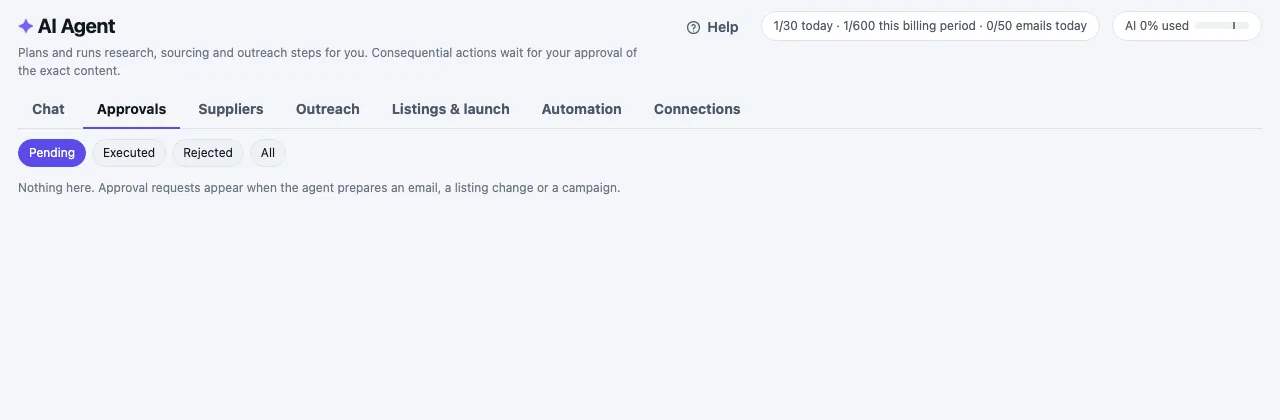
Your approval is tied to exactly that content (the page shows a fingerprint code) and it expires after a while. If anything changes, the agent asks again.
The Automation tab
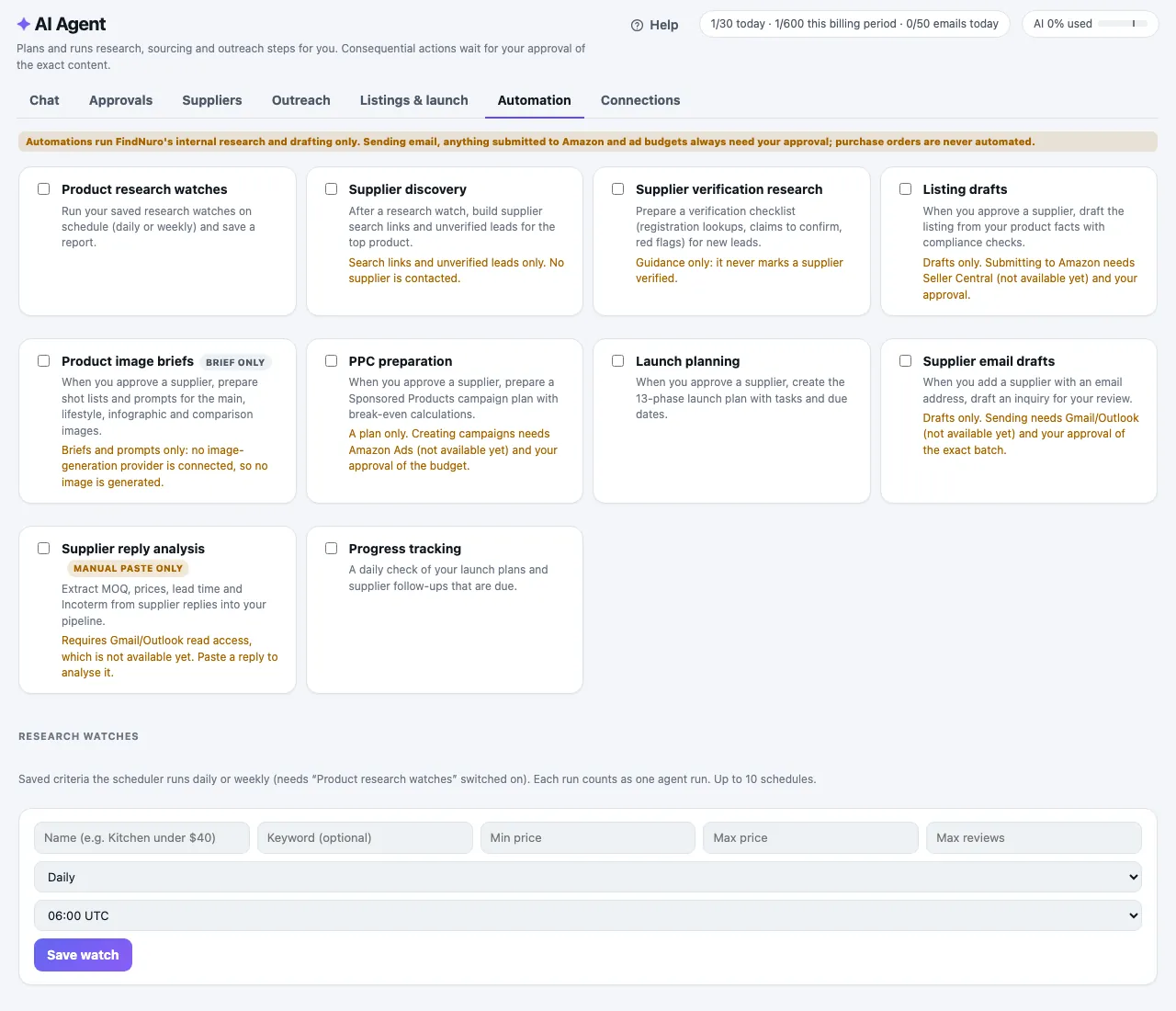
Turn on the jobs you want the agent to do regularly. Automations run FindNuro's internal research and drafting only:
- Product research watches: run a saved search daily or weekly (pick the hour in UTC). Use Save watch, Run now or Delete.
- Supplier discovery and Supplier verification research
- Listing drafts and Product image briefs (brief only)
- PPC preparation and Launch planning (plans only)
- Supplier email drafts, Supplier reply analysis (manual paste only) and Progress tracking
Sending email, anything submitted to Amazon and ad budgets always need your approval. Purchase orders are never automated. You can have up to 10 scheduled watches.
Frequently asked questions
Can I turn approvals off?
No. Approvals are how FindNuro keeps you in control.
What happens when my AI allowance is in economy mode?
Scheduled automations wait until your allowance resets. See AI usage limits.