
Find products with the AI Product Hunter
Describe the products you want in plain English. The AI turns it into real filters, searches FindNuro's data and explains the results.
Watch the 1:17 video lesson or follow the steps below.
The ✦ AI Product Hunter is included with Pro, Elite and AI Agent Pro.
How to use it
- Open the ✦ AI Product Hunter tab.
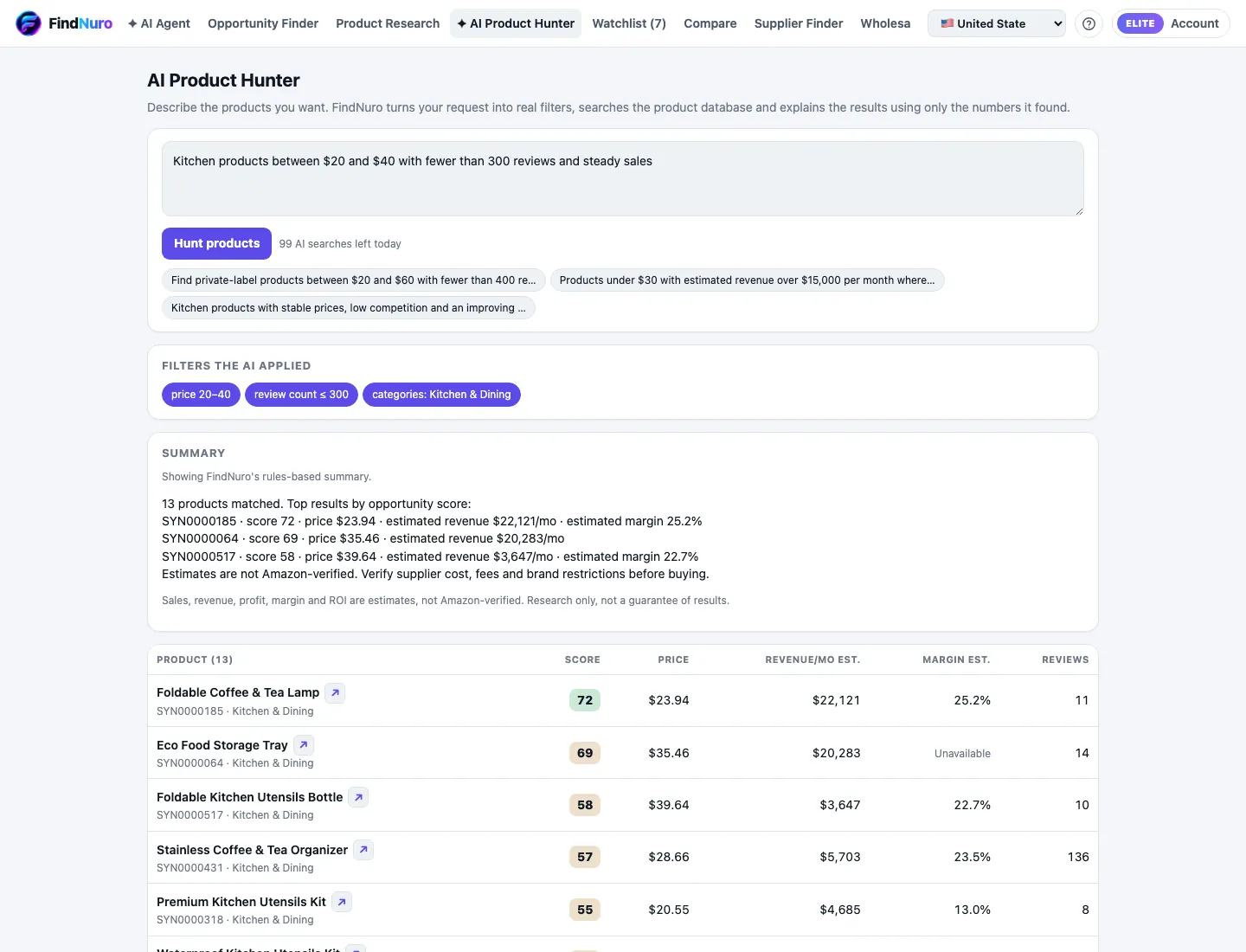
- Describe what you want. Be specific about price, competition and category. For example:
- Kitchen gadgets between $20 and $40 with fewer than 300 reviews and steady sales
- Lightweight pet products under 1 lb with good margins
- Press Hunt products.
- Read the results:
- Filters the AI applied: the exact filters it used, so you can check its understanding.
- AI explanation or Summary: why these products match, using only the numbers it found.
- The product list. Click a product to open its details.
Limits
Each hunt uses one AI request. The page shows N AI searches left today. Pro includes 30 a day (300 per billing period); Elite and AI Agent Pro include 100 a day (1,000 per billing period). See AI usage limits.
Tips for better results
- Mention numbers ("under $30", "fewer than 200 reviews").
- Name a category if you have one in mind.
- If the filters look wrong, rephrase, or copy the idea into Product Research and adjust the filters yourself.
Frequently asked questions
Does the AI make up numbers?
No. The AI turns your request into filters and searches FindNuro's data. Its explanation uses only the numbers it found. Sales, revenue, profit, margin and ROI are still estimates.
The AI service had a problem. Did I lose a search?
No. You'll see The AI service had a problem. You were not charged a search. Try again in a moment.